Chasing employees for timesheets, reconciling hours manually, and guessing which projects are profitable Go-EMP replaces all of that with a structured, automated timesheet system that makes time tracking effortless for employees and insightful for everyone else.
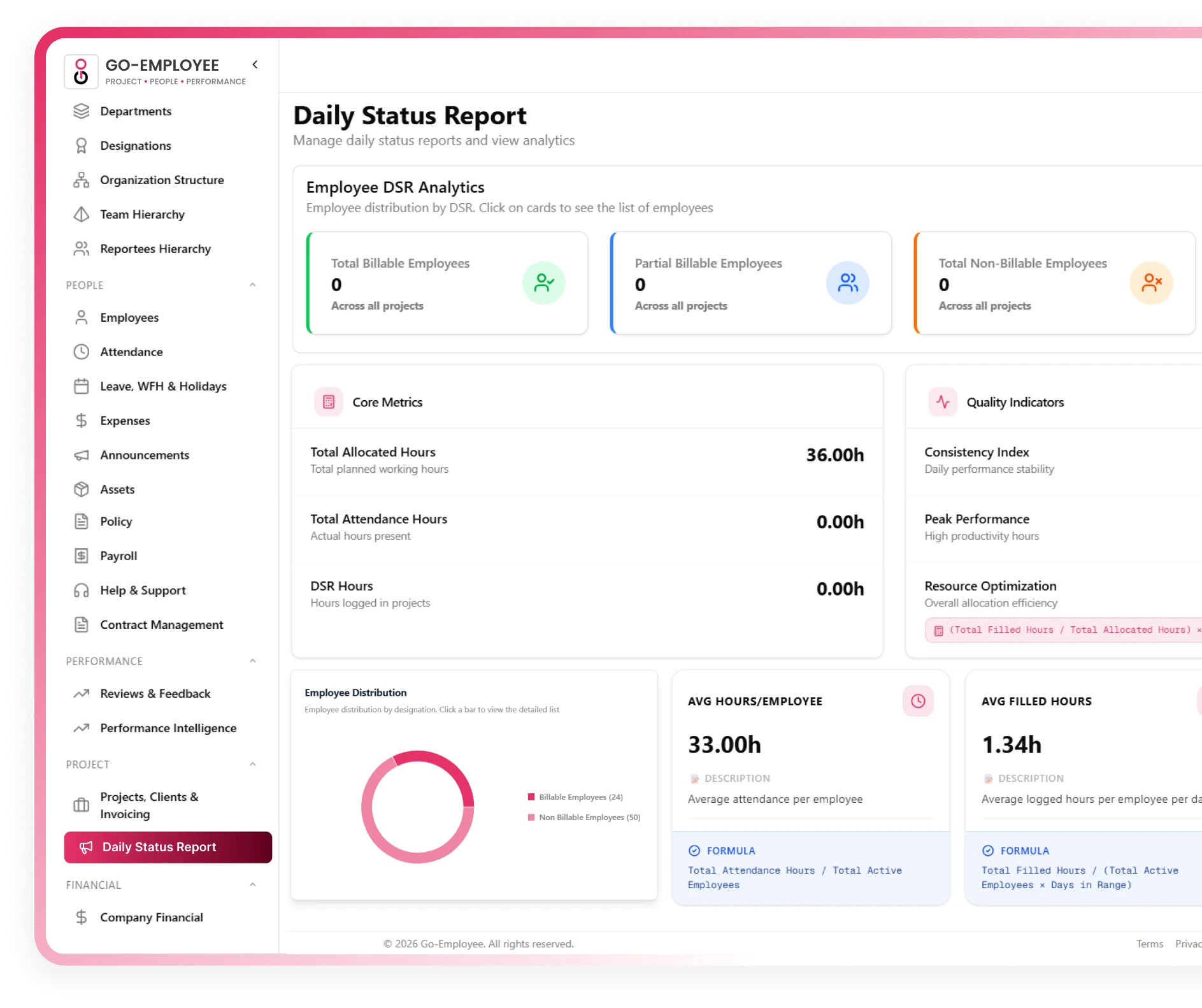

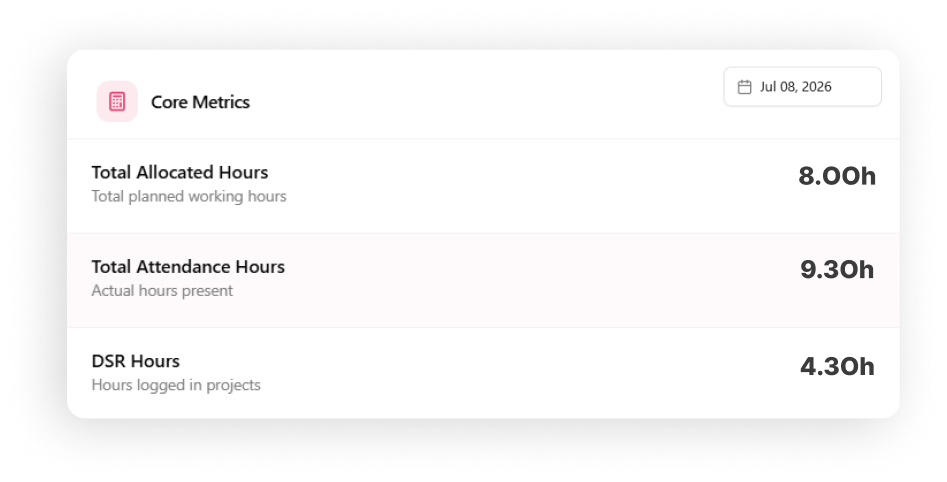






Go-EMP goes beyond raw hours. AI-powered KPI tracking automatically analyses attendance hours, allocated hours, logged hours, productivity, utilization, reporting compliance, and performance gaps for every employee surfacing the patterns and anomalies that manual review would never catch.
Attendance Hours
Actual presence vs scheduled working hours
Allocated Hours
Project allocation vs available capacity
Logged Hours
Timesheets filled vs hours expected
Utilization Rate
Billable hours as % of total available hours
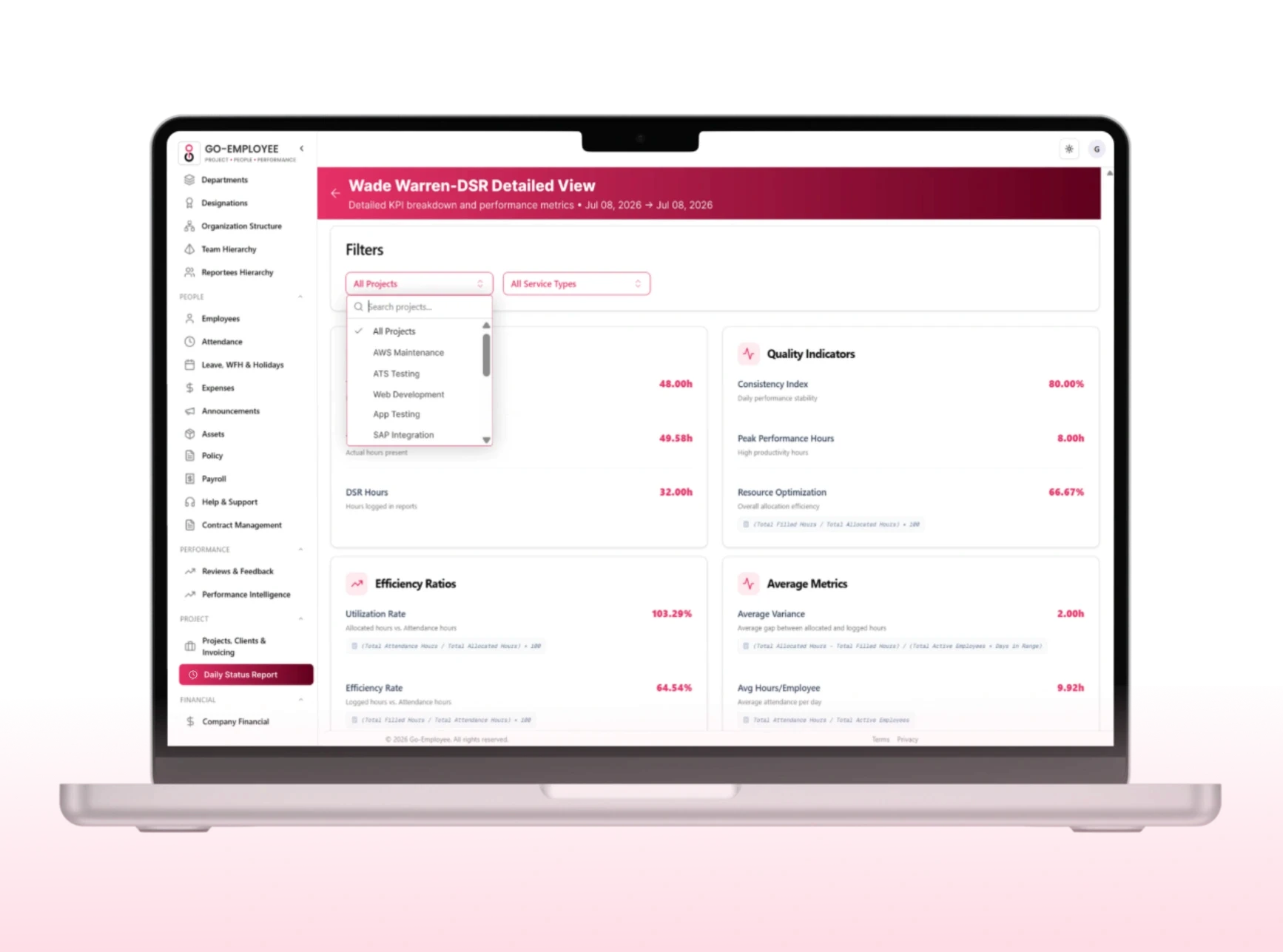

Go-EMP makes timesheet entry fast, flexible, and mobile-friendly. Employees can log hours daily as they work or fill in the full week in one sitting across multiple projects and tasks. No clunky interfaces, no spreadsheet gymnastics, no "I'll do it later" that never happens.

Daily and weekly timesheet modes

Log hours against multiple projects and tasks

Mobile app entry log from anywhere

Add notes and descriptions per entry
Not all hours are equal. Go-EMP lets employees categorize time as billable or non-billable at the point of entry giving project managers and finance teams a real-time view of productive client hours versus internal time spent on meetings, admin, and overhead. The insight that directly impacts profitability decisions.
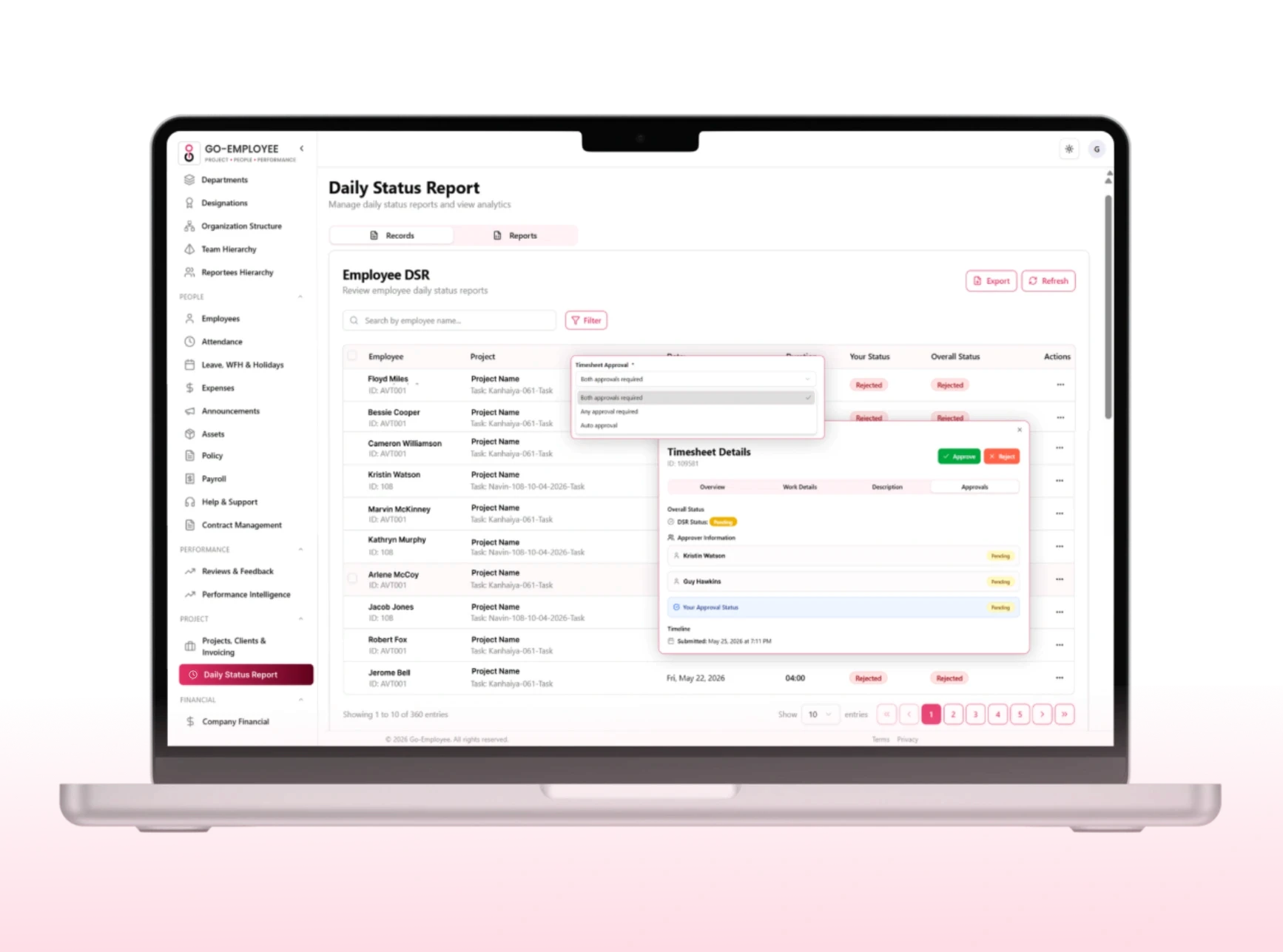
Once an employee submits their timesheet, Go-EMP routes it through a configured approval flow automatically. Managers receive instant notifications, can approve or flag entries with comments, and the system escalates anything that sits unreviewed past the deadline. No bottlenecks, no manual nudges.
Custom single or multi-level approval workflows
Project-wise and team-wise approval routing
Approve, reject, or request correction with comments
Complete approval history and audit trail
Define minimum hours, late submission penalties, mandatory fields, and project-specific data requirements then let Go-EMP handle enforcement automatically. Automated reminders go out before deadlines, and the system flags non-compliant submissions before they reach approvers. Less policing, more accountability.
Minimum weekly hour requirements per role
Mandatory field requirements per project type
Automatic reminders before submission deadlines
Custom policy rules by team, project, or resource


Leverage AI-powered Timesheet KPIs to gain a complete view of employee productivity, reporting behavior, and workforce utilization. Go-Employee automatically calculates advanced performance metrics using attendance, allocated hours, logged timesheet hours, billable hours, and reporting data, helping managers identify performance gaps, improve compliance, and make data-driven workforce decisions.
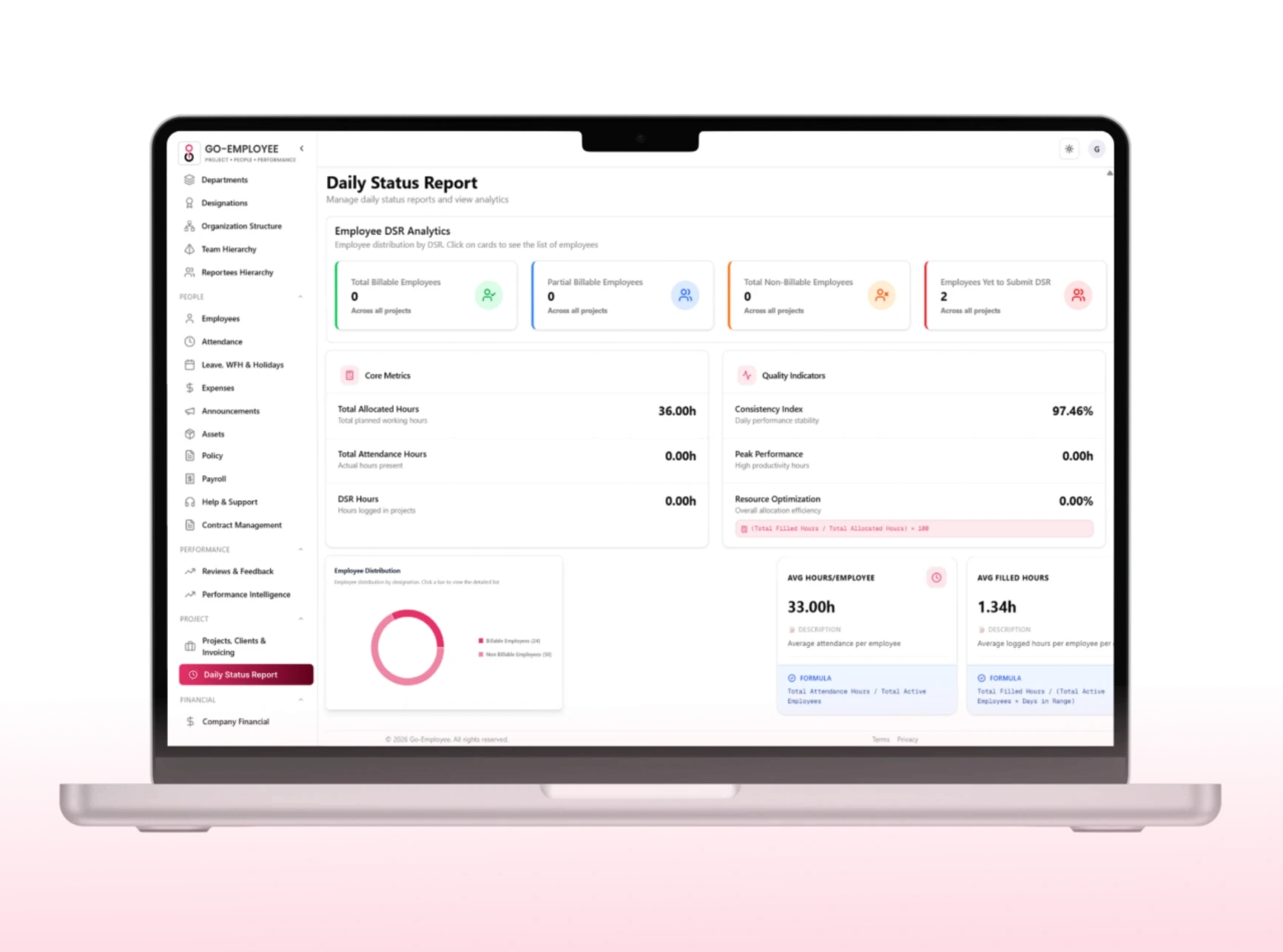
Go-EMP provides two powerful DSR reporting modes that let managers monitor individual and team performance from a single day's hours to custom date-range workforce analytics.
Minimum weekly hour requirements per role
Mandatory field requirements per project type
Automatic reminders before submission deadlines
Custom policy rules by team, project, or resource

Built for every stakeholder in your policy process.
Fast daily or weekly log from mobile or desktop
Real-time visibility into submission and approval status
Automated reminders never miss a deadline
Personal KPI visibility for self-performance tracking
Employees
AI-flagged performance gaps no manual digging
Daily DSR snapshots per employee without asking
Individual KPI dashboards for proactive management
Project-level time tracking for better resource planning
Managers & Project Leads
Accurate billable hours for client invoicing and billing
Utilization and productivity trends across the org
Payroll-integrated timesheet data for accurate processing
Compliance-ready records and AI-backed audit insights
Finance & Leadership



Frequently Asked Questions
Answers to common questions about setup,
pricing, and how everything works.
You can link banks, tools, and spreadsheets directly from the setup page with secure one click integrations.
Can employees log time against multiple projects and tasks?
Yes. Employees can log hours daily or fill in the full week at once, split across multiple projects and tasks, from desktop or mobile.
Can time be marked as billable or non-billable?
You can link banks, tools, and spreadsheets directly from the setup page with secure one click integrations.
How do timesheet approvals work?
You can link banks, tools, and spreadsheets directly from the setup page with secure one click integrations.