Your team logs the hours. Go-EMP does the rest. From configurable rate cards and flexible billing types to automated invoice generation, approval workflows, and payment tracking Go-EMP gives service organizations a complete billing engine that closes the gap between work done and revenue collected.
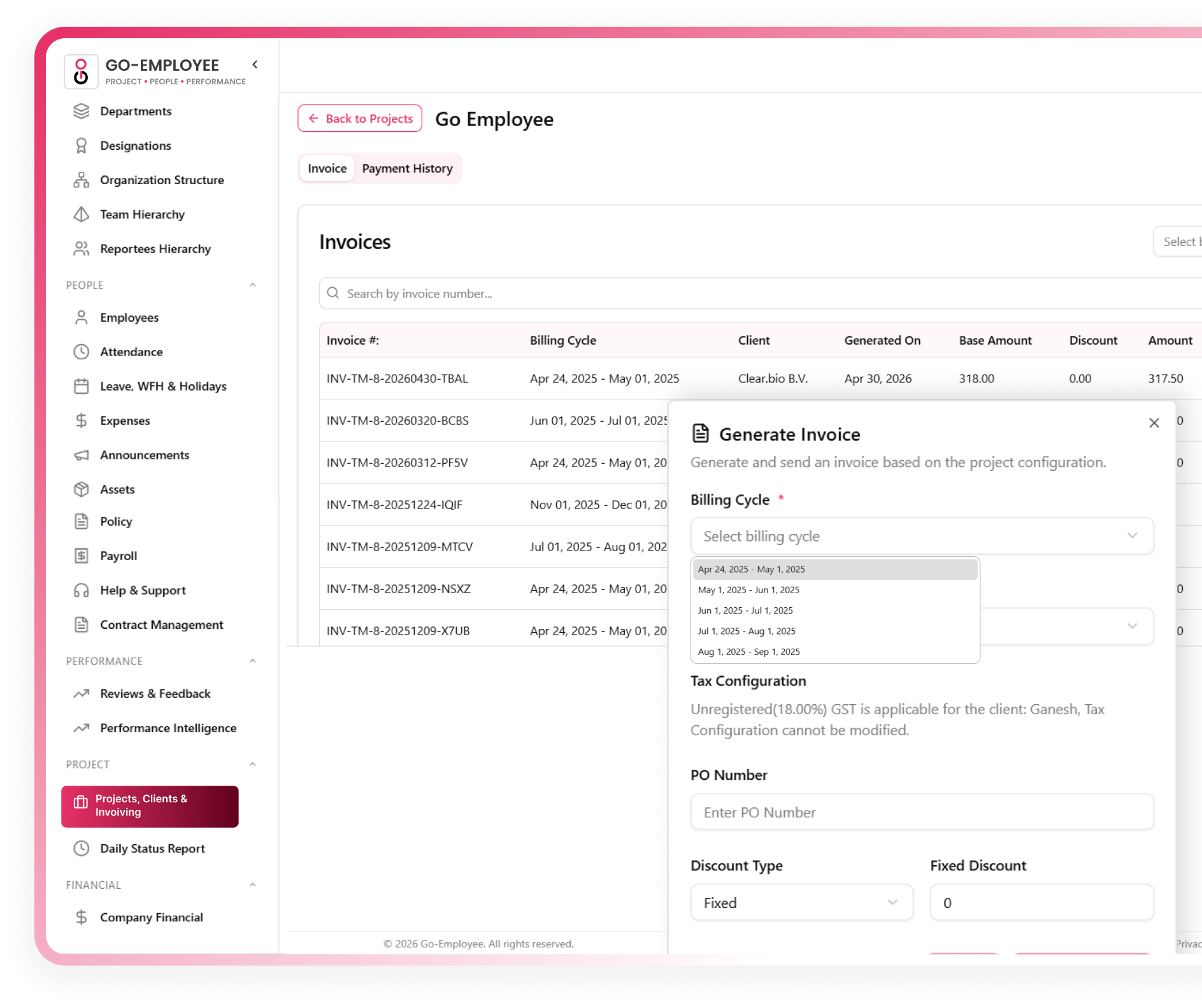








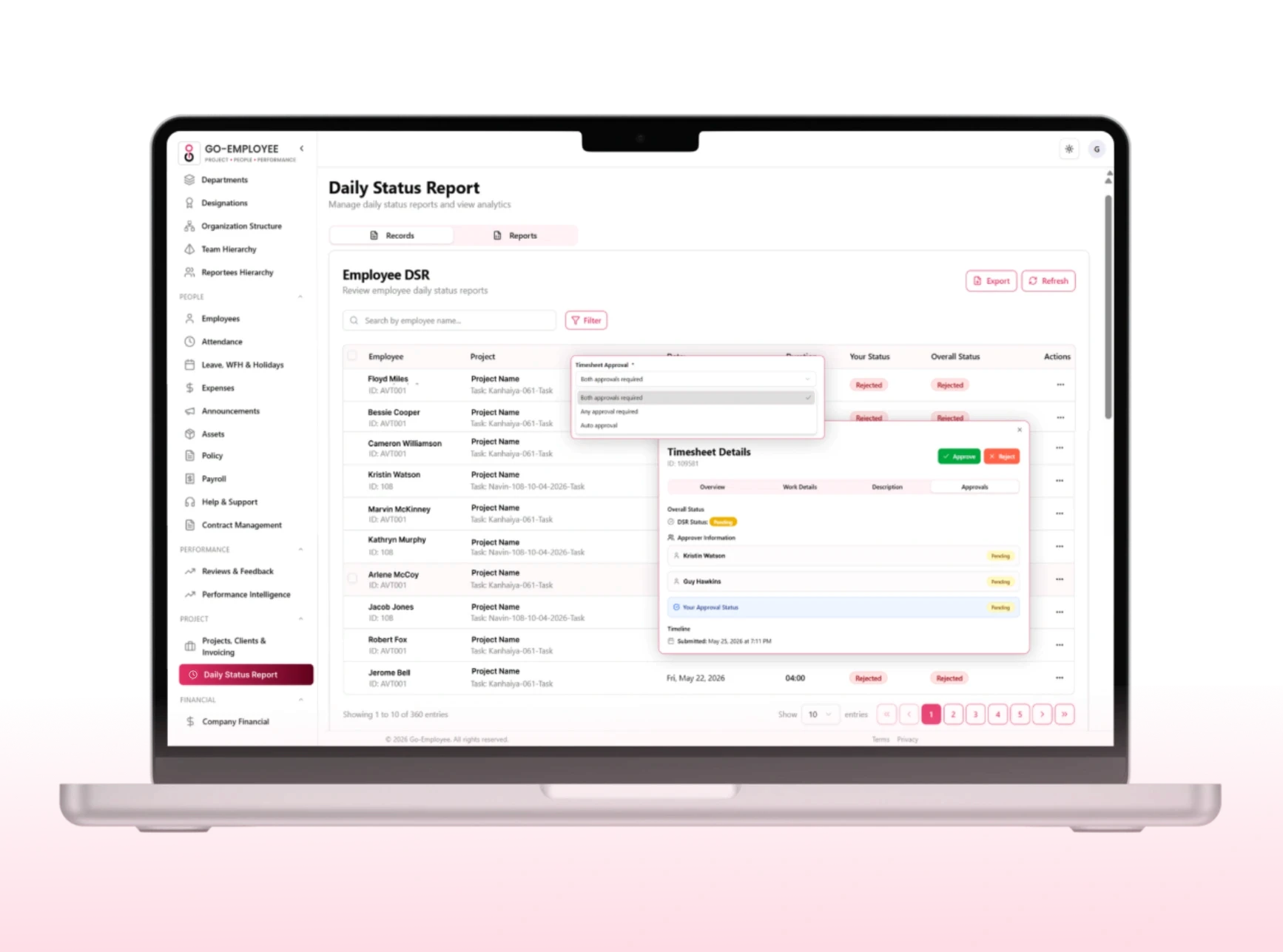
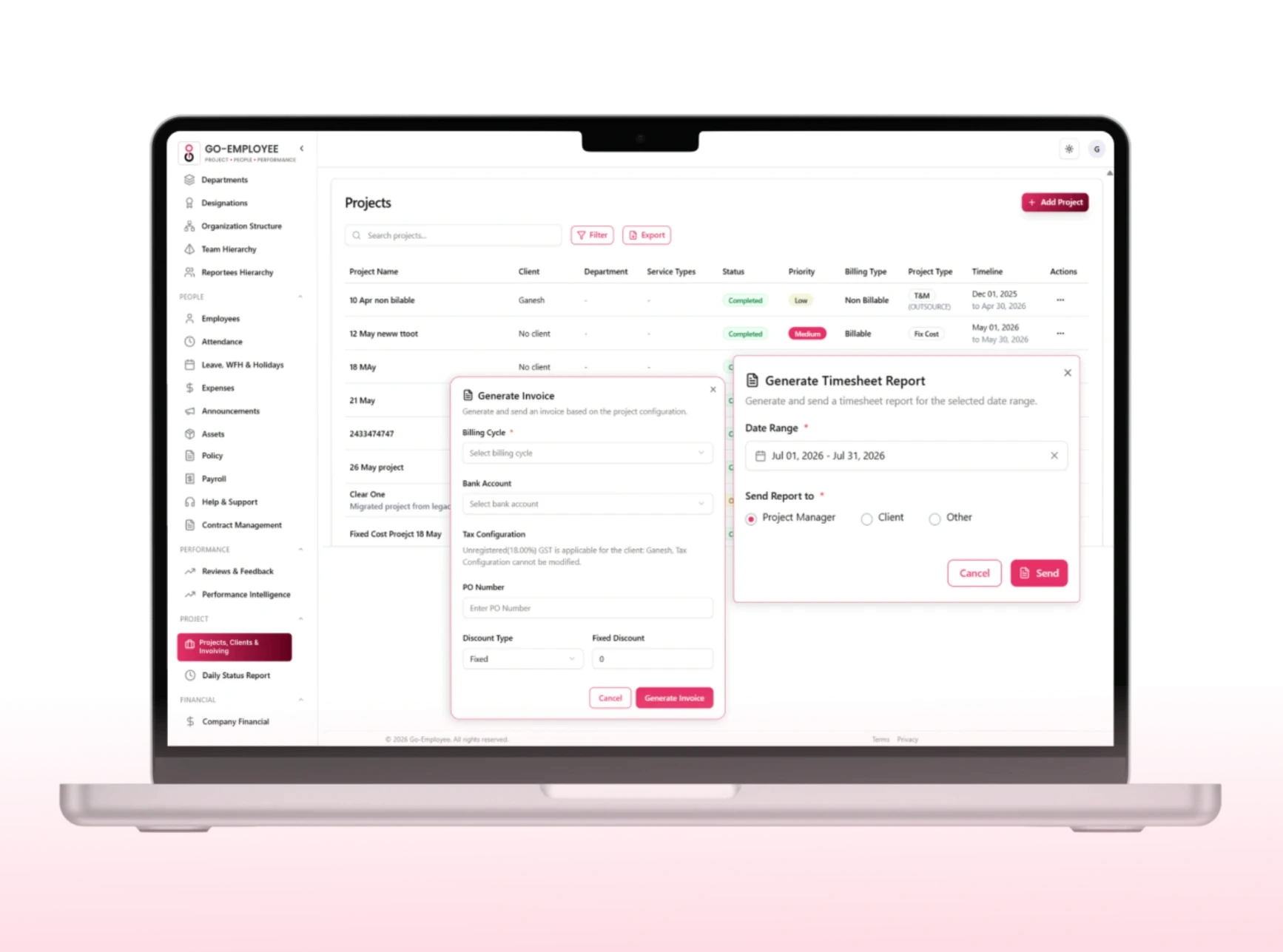
Go-EMP pulls approved timesheet hours directly into a structured invoice with your branding, tax configurations, and billing rates already applied. No reformatting, no recalculating.

Daily and weekly timesheet modes

Log hours against multiple projects and tasks

Mobile app entry log from anywhere

Add notes and descriptions per entry
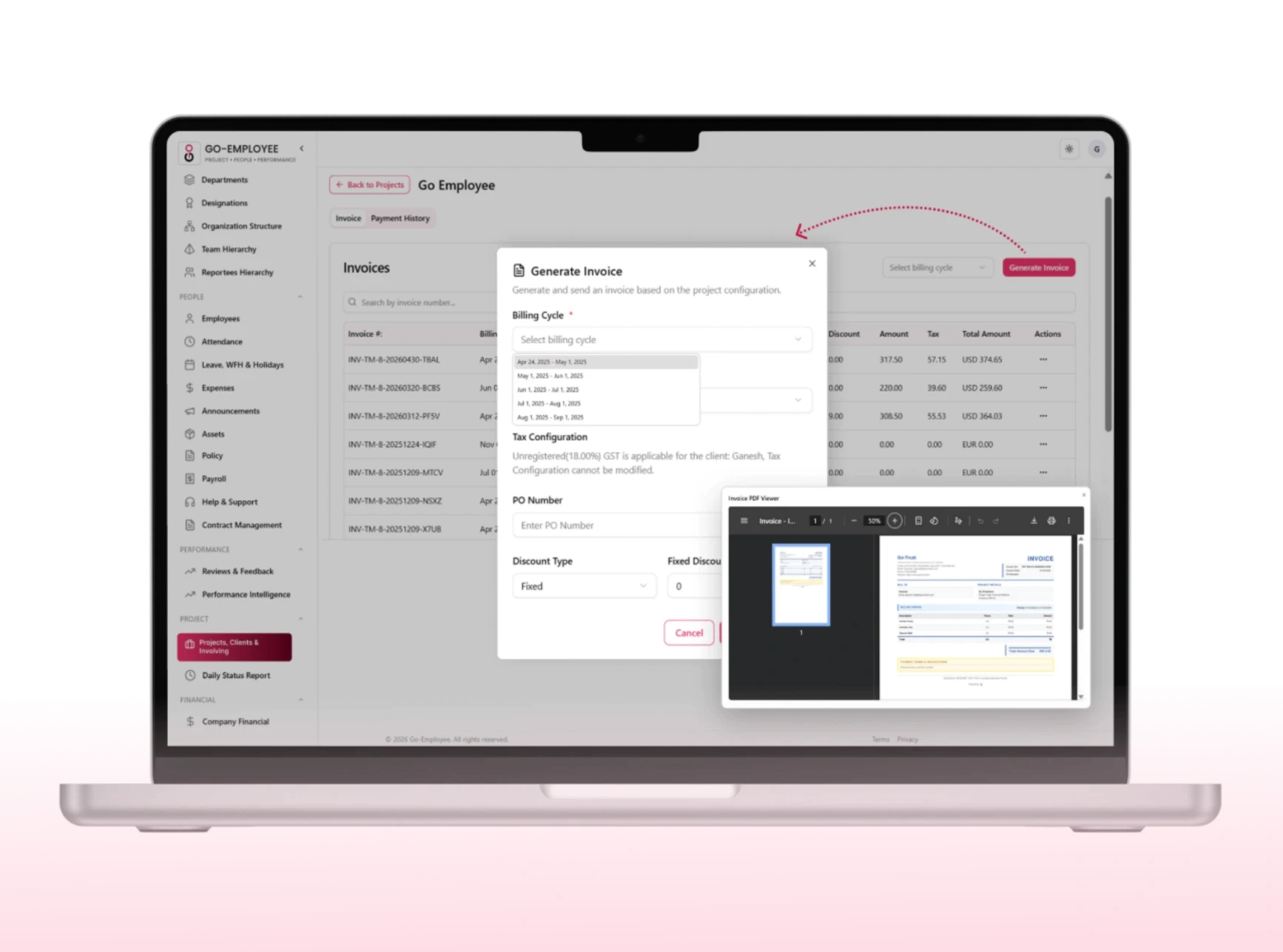
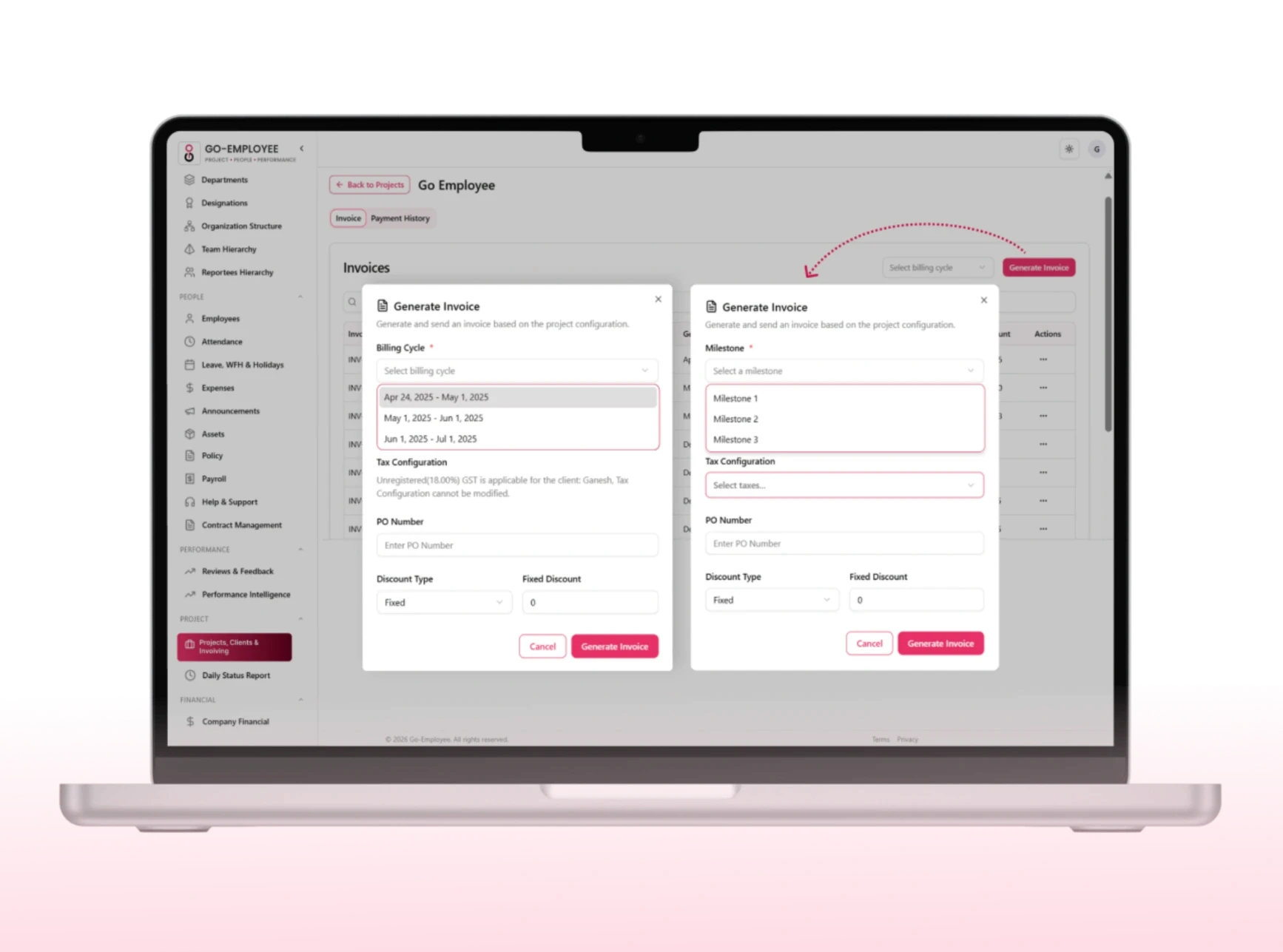
Configure the billing model that fits each client and project without changing how your team logs time. Go-EMP applies the right billing rules automatically based on how the project is set up
Time & Material
Bill clients based on actual hours worked and expenses incurred. Rate cards applied per resource, role, or skill level.
Fixed Price
Invoice against a fixed project value regardless of hours. Track effort vs contract value in real time.
Milestone Billing
Trigger invoices automatically when project milestones are achieved and approved no manual follow-up.
Recurring Billing
Set up retainer or subscription-based billing cycles that auto-generate invoices on a defined schedule.
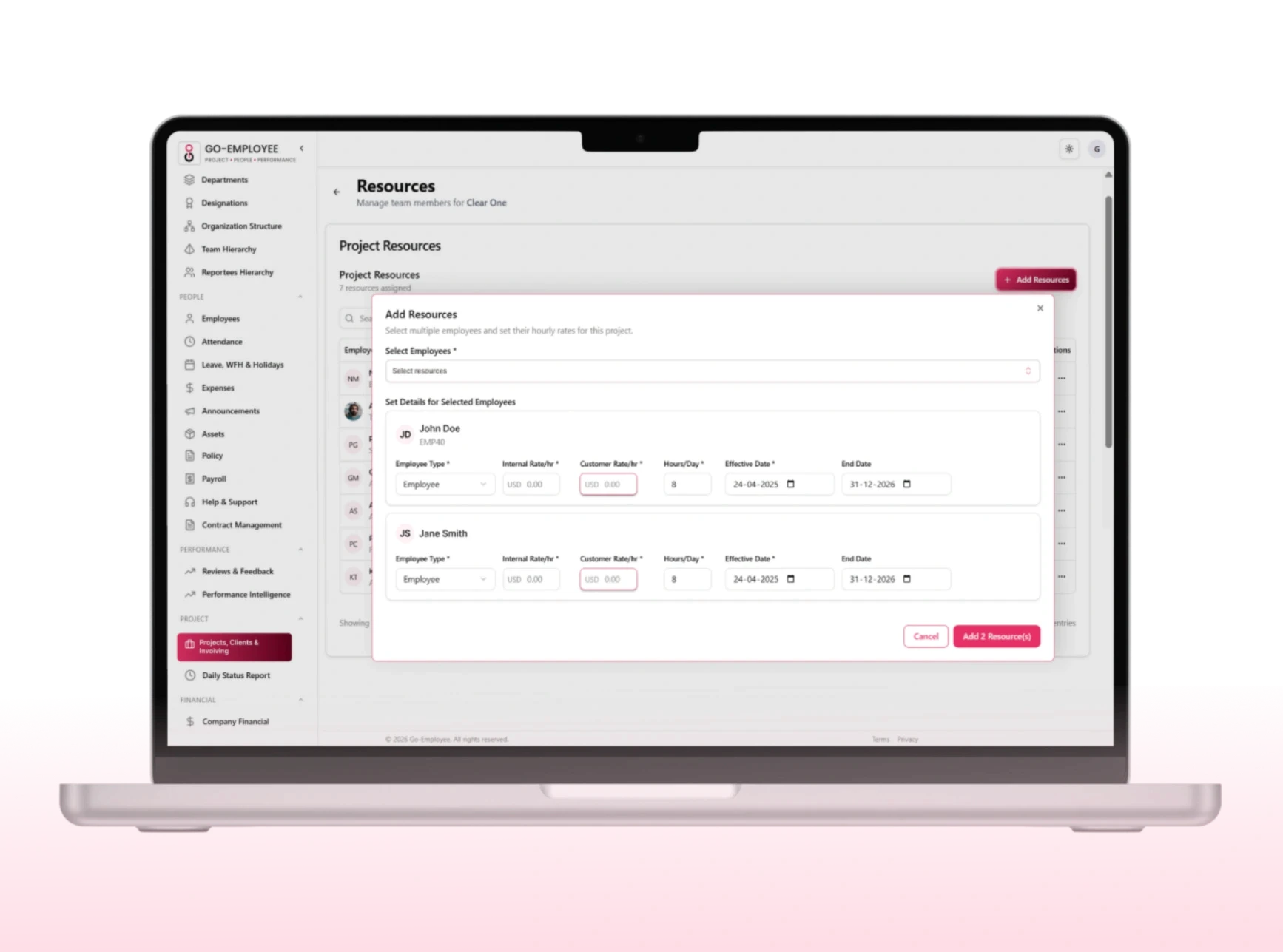
Define billing rates at the resource, role, designation, or skill level and assign different rate cards to different clients or projects. When timesheets are approved, Go-EMP applies the correct rate automatically. No manual rate lookups, no billing errors.
Once invoices go out, Go-EMP tracks every payment against every invoice giving finance teams a live view of outstanding balances, upcoming due dates, and overdue collections. Reconcile payments, record partial receipts, and maintain spotless financial records without a separate accounting tool.
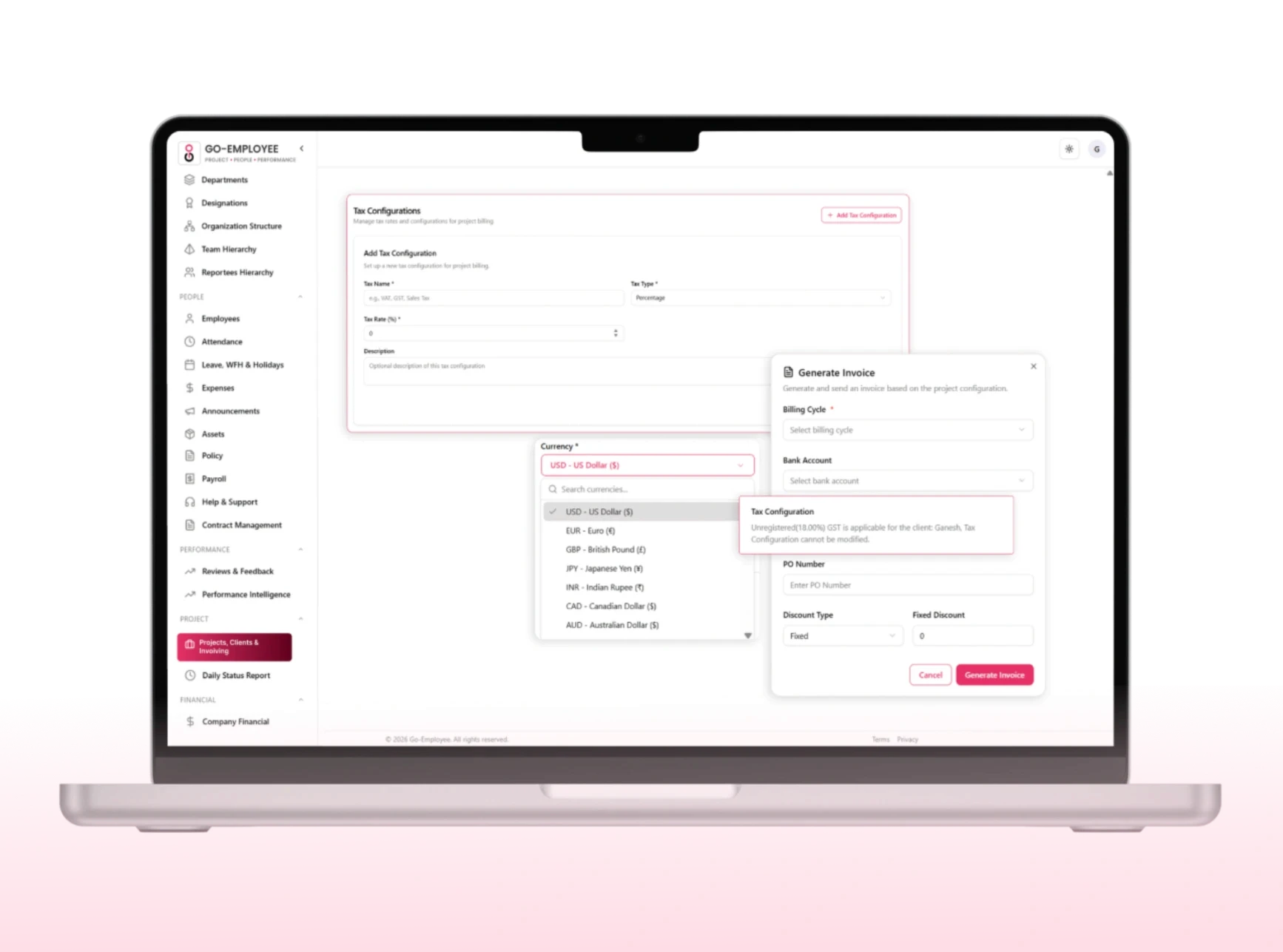
Go-EMP supports billing from multiple legal entities under one organization each with their own tax configurations, currency settings, and compliance requirements. Whether you're raising invoices in India with GST or billing an international client in USD, Go-EMP applies the right tax structure automatically.
Region-specific tax configuration (GST, VAT, etc.)
Multi-entity billing from one centralized platform
Multi-currency invoice generation
Tax-inclusive and tax-exclusive billing modes
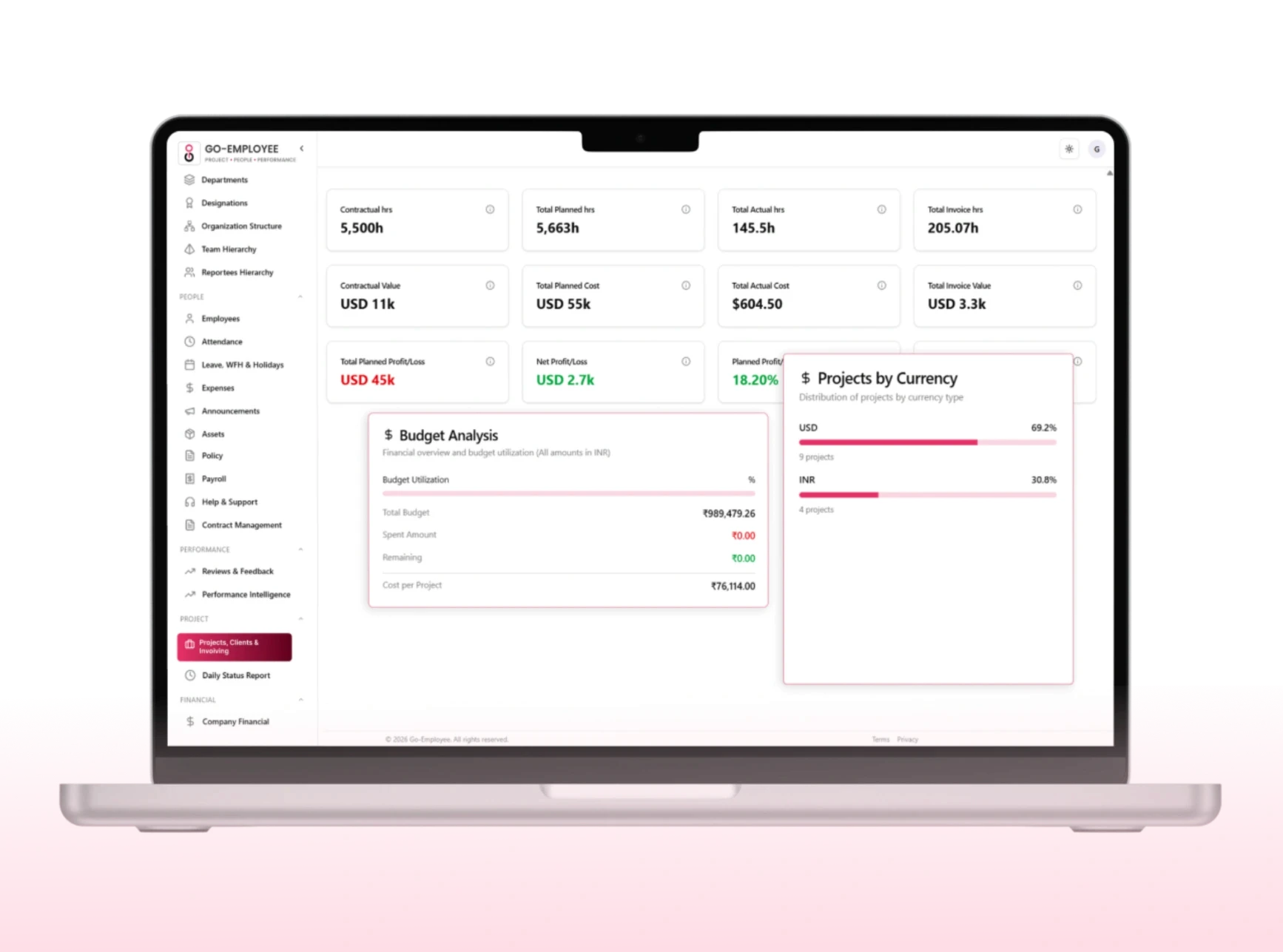
Go-EMP connects timesheet data, billing rates, and invoice records into a unified revenue analytics view giving leadership real-time insight into where the money is coming from and where the margins are being lost.
No data export, no manual transfer. Hours logged by your team flow directly into invoices approved timesheets trigger billing, approved invoices trigger payment tracking. It's one continuous, connected workflow.
Timesheets
Project Management
Expense Management
Payroll
Instant visibility into project billing vs budget
Approve invoices from approved timesheets in clicks
Track milestone completion and trigger billing
Monitor gross margins per project in real time
Project Managers
Zero manual data entry between timesheets and invoices
Multi-entity billing with correct tax applied automatically
Real-time payment tracking and overdue alerts
Audit-ready invoice and payment records always available
Finance Teams
Client-wise and project-wise revenue visibility
Resource utilization linked directly to billing output
Profitability analysis to guide pricing and resourcing
Faster cash flow through automated invoice generation
Leadership




You can link banks, tools, and spreadsheets directly from the setup page with secure one click integrations.
Can invoices be generated automatically from approved timesheets?
Yes. Approved timesheet hours flow directly into a structured invoice with your billing rates, branding, and tax settings already applied. No manual reformatting or recalculating.
Does it support different billing models like fixed price or retainer?
You can link banks, tools, and spreadsheets directly from the setup page with secure one click integrations.
Can we bill different clients at different rates for the same resource?
You can link banks, tools, and spreadsheets directly from the setup page with secure one click integrations.